
What is a Live Lesson?
Live Lessons are interactive, real-time sessions delivered by the now>press>play team via Google Meet. They bring our immersive audio Experiences to life through guided storytelling and a follow-on classroom activity.
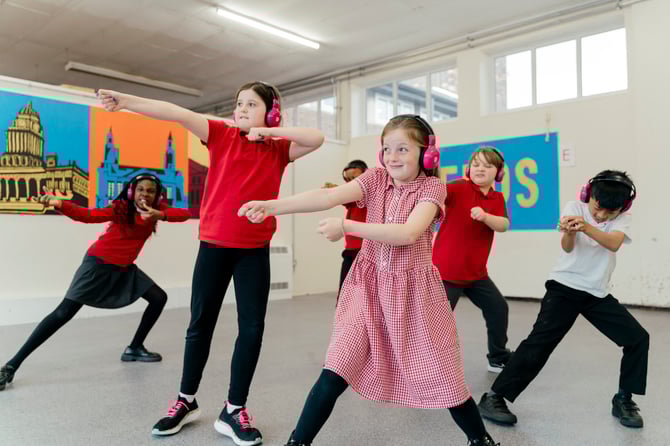
During the Experience, you’ll join our team as we all press play together. Pupils listen on their headsets, move around the space, and step directly into the story. Afterwards, everyone comes back together for a short, engaging follow-up activity led by a member of the team.
Live Lessons are designed to:
-
Give pupils an exciting, shared learning experience
-
Show teachers how to use our follow-on resources effectively in the classroom
-
Showcase the community of now>press>play, allowing pupils to see they are part of something big
What you need to run a Live Lesson
Before the session, please ensure you have the following:
For the Online Call
- A laptop or computer connected to speakers loud enough for the whole class to hear us
- A projector or interactive whiteboard
- A stable internet connection
- Camera switched on where possible - this helps us interact with the pupils
For the Experience
-
Transmitter and headsets are fully charged and ready to use
-
A device to run the now>press>play App
-
Enough space for pupils to move safely (classroom or hall)
How to prepare
-
Test Your Audio
Play a short audio clip through your speakers to ensure the volume is suitable and that you can hear us. -
Check Google Meet Access
Make sure you can open Google Meet and display it on your classroom screen. -
Set Up Your Space
Pupils will be moving, acting, and responding to prompts as they would with any other NPP Experience, so a clear space is ideal. -
Have The Headsets Ready
Make sure they are distributed just before the session starts.
We ask teachers to be fully involved and active during the session - classes that take part on camera tend to get much more out of the Live Lesson Experience.
What will happen during the Live Lesson?
| Stage | What happens |
|---|---|
| Welcome | Our team will greet the class and explain what to expect. We encourage pupils and teachers to keep cameras on so we can interact with you. There might be a short introduction task on the screen. |
| Experience (in-class) | Everyone will 'press play' at the same time. Pupils step into the story and live the Experience. You will run the Experience in your classroom or hall - we are here to support you. |
| Follow-on activity | Coming back together. After the Experience the now>press>play team will lead a fun and engaging activity using our follow-on resources. Teachers can type pupil answers into the chat so we can respond live. |
During the follow-on, we:
-
Model how to use our resources effectively
-
Encourage children to share their ideas and answers
This session gives both pupils and teachers a chance to reflect on the Experience, consolidate learning, and feel confident using the Experience in the classroom.
👉 Click here to see what we have coming up and register your interest!
Have any questions? We’re here to help!
📧 Email us at: support@nowpressplay.co.uk
📞 Call us on: 0203 727 5592