
Below are the steps to access the web app on an iPad using Safari. Similar methods apply to other devices and browsers.
How to Install the Web App on an iPad (Safari)
1. Open Safari and navigate to the website you want to install. In this case: https://experiences.nowpressplay.co.uk
2. Tap the Share icon (the square with an upward arrow) at the top of the screen.

3. Scroll down the options and select "Add to Dock".

4. (Optional) Edit the name of the web app to make it easily identifiable.
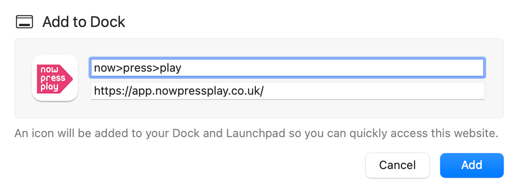
5. Ensure the Open as Web App toggle is turned on.
6. Tap Add in the top right corner. The web app will now appear on your Home Screen as a dedicated icon, just like a native app!

Why use the web app?
- No installation required - works on any device with a browser.
- Always up-to-date with the latest features.
- No need for app store permissions or compatibility concerns.
Have any other questions? Get in touch!
📧 Email us at: support@nowpressplay.co.uk
📞 Call us on: 0203 727 5592