
Accessing the web app is quick and easy!
The Web-Based App works on laptops, desktops, and Chromebooks. For the best performance, make sure you’re using the latest version of your browser.- Visit our website and locate the Login link to the web app, usually found at the top right corner of the homepage (see example below).
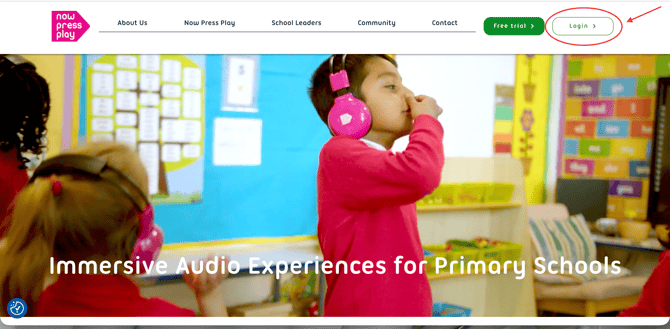
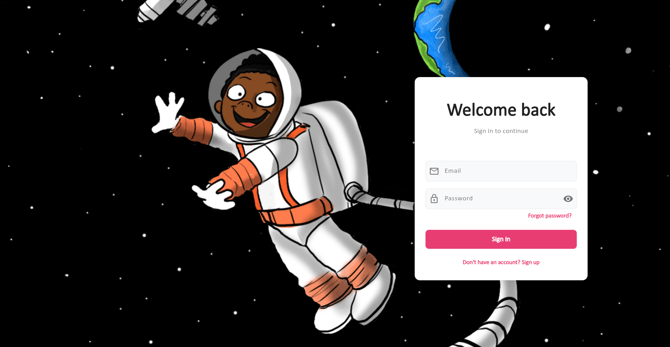
- Click on Login, and you’ll be taken to the web app homepage.
- Enter your school email and the password you set up to log in and start using the app.
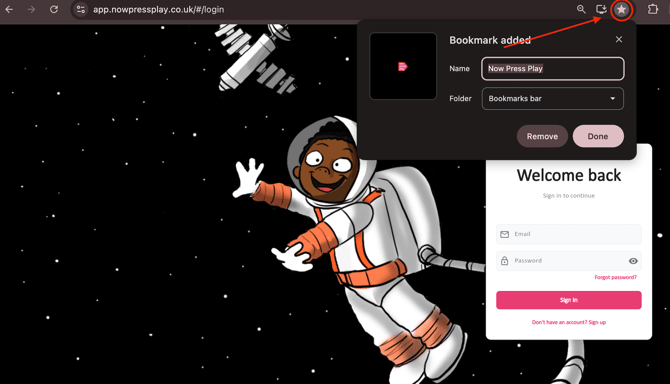
Quick Tip: To save time, you can bookmark the web app login page in your browser. That way, you won’t need to keep returning to the website - you’ll have easy access alongside your other bookmarks!
Have any questions? We’re here to help!
📧 Email us at: support@nowpressplay.co.uk
📞 Call us on: 0203 727 5592