
To check your app version:
-
Open the now>press>play app
-
Log in to your account
-
On the homepage, pick a phase, any phase!
-
Then, in the top right-hand corner, click on the following symbol:

- This will take you to your account information
- Scroll to the bottom of the screen
-
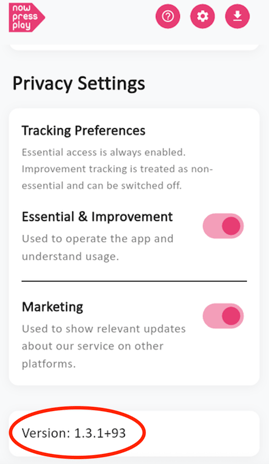
Your app version will be displayed (see red circle in the image):
To make sure you're up to date, please ensure you have the following versions:
-
Version 1.3.6+101 on iOS
-
Version 1.3.2+96 on Android
Have any questions? We’re here to help!
📧 Email us at: support@nowpressplay.co.uk
📞 Call us on: 0203 727 5592