
Accessing Follow-On Resources for Each Experience Is Simple and Fast
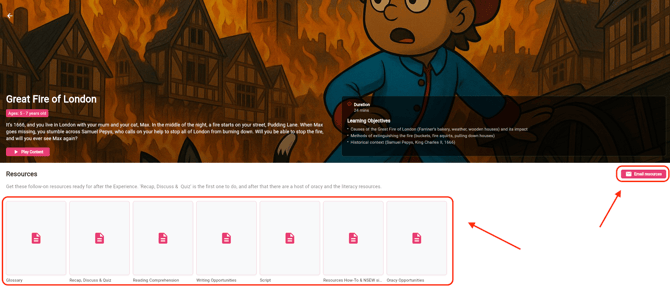
Simply open the relevant Experience within the App. There, you’ll find the Resources section - just click on the items you need to download them directly to your device.
You can also email the resources to yourself to support your lesson planning in advance. Just click on “Email Resources” located on the right-hand side, and they will be sent directly to your email.
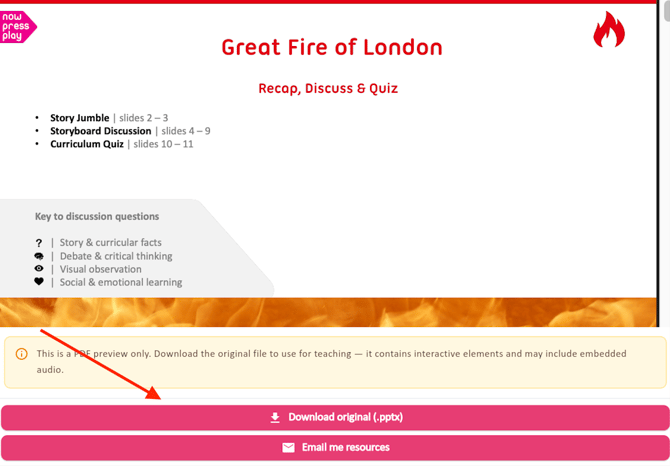
Once you click on the resource of choice, the following pop-up will appear. Here you can either click on "Download original or "Email me resources".
This feature helps you stay organised and prepared, nurturing a smooth and inspired teaching experience.
Have any other questions? We’re here to help!
📧 Email us at: support@nowpressplay.co.uk
📞 Call us on: 0203 727 5592