
Yes! You can download any Experience to your Android or iPhone device and play it offline—perfect for use in classrooms or areas without reliable internet.
How to Download an Experience
- Open the mobile app and navigate to the Experience you want to download.
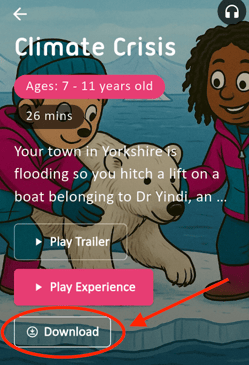
- On the Experience page, look for the “Download” button located just below the “Play Experience” option. Tap it to start downloading.
- Once downloaded, you can access the Experience anytime without an internet connection.
How to Find and Play Your Downloaded Experiences
- After downloading, go back to the Experience page or your Homepage.
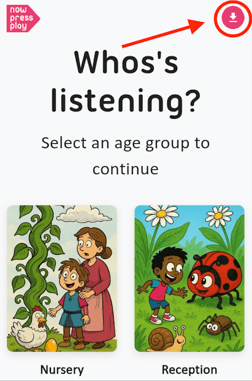
- Tap the icon shown in the picture below to view all your saved Experiences.
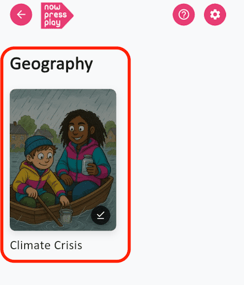
- Select the Experience you want and enjoy it offline whenever you like.
Tip: Make sure to download Experiences ahead of time to avoid interruptions during your sessions.
Have any questions? We’re here to help!
📧 Email us at: support@nowpressplay.co.uk
📞 Call us on: 0203 727 5592